A 3D virtual art gallery at true scale
Draw the room, choose the floor and the lighting, and hang the artworks at their real size with the frame you like: wood, metal or flat. Sculptures go on the floor, as a 3D model or an image.
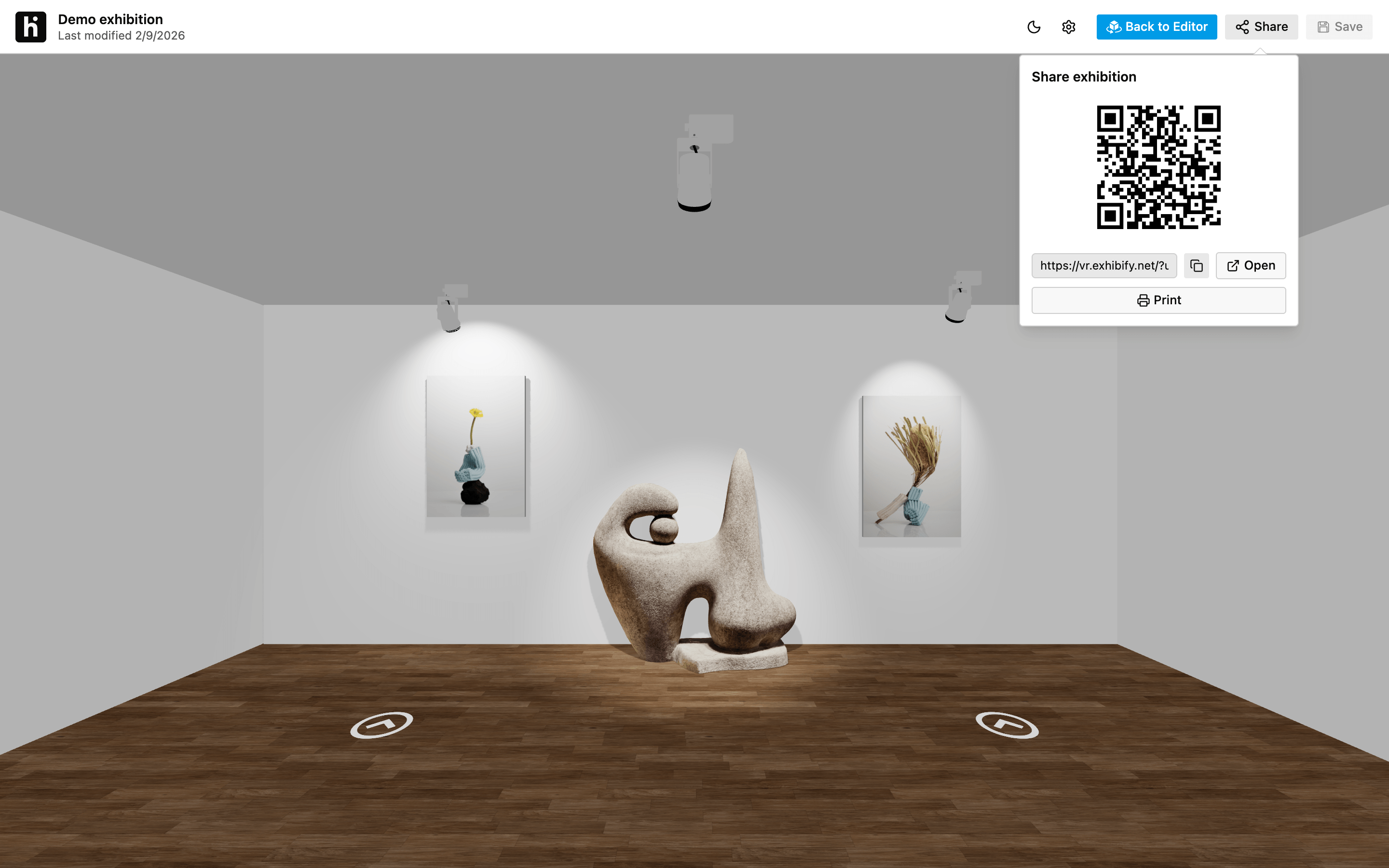
An exhibition people can walk through in their browser: your artworks at true scale, the lighting you choose and a link to send to collectors, curators or clients.

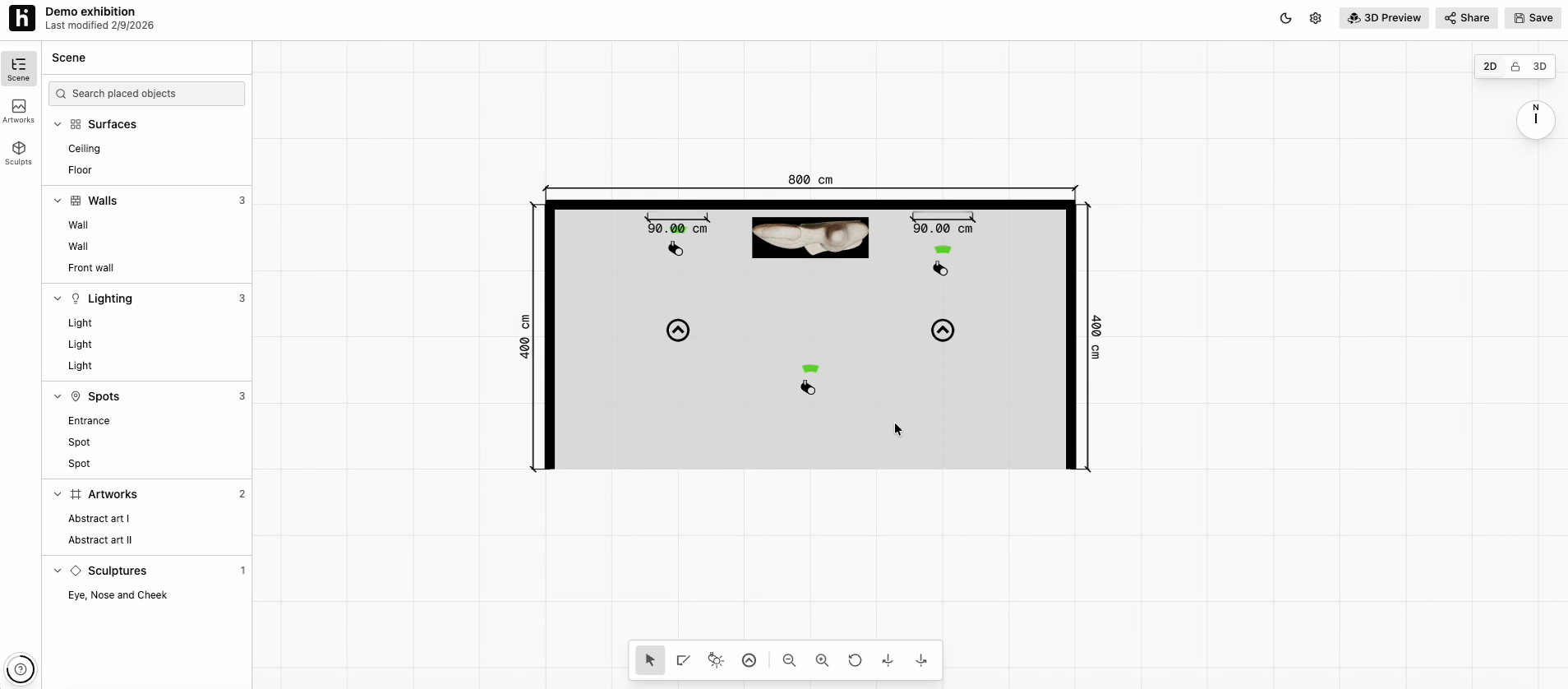
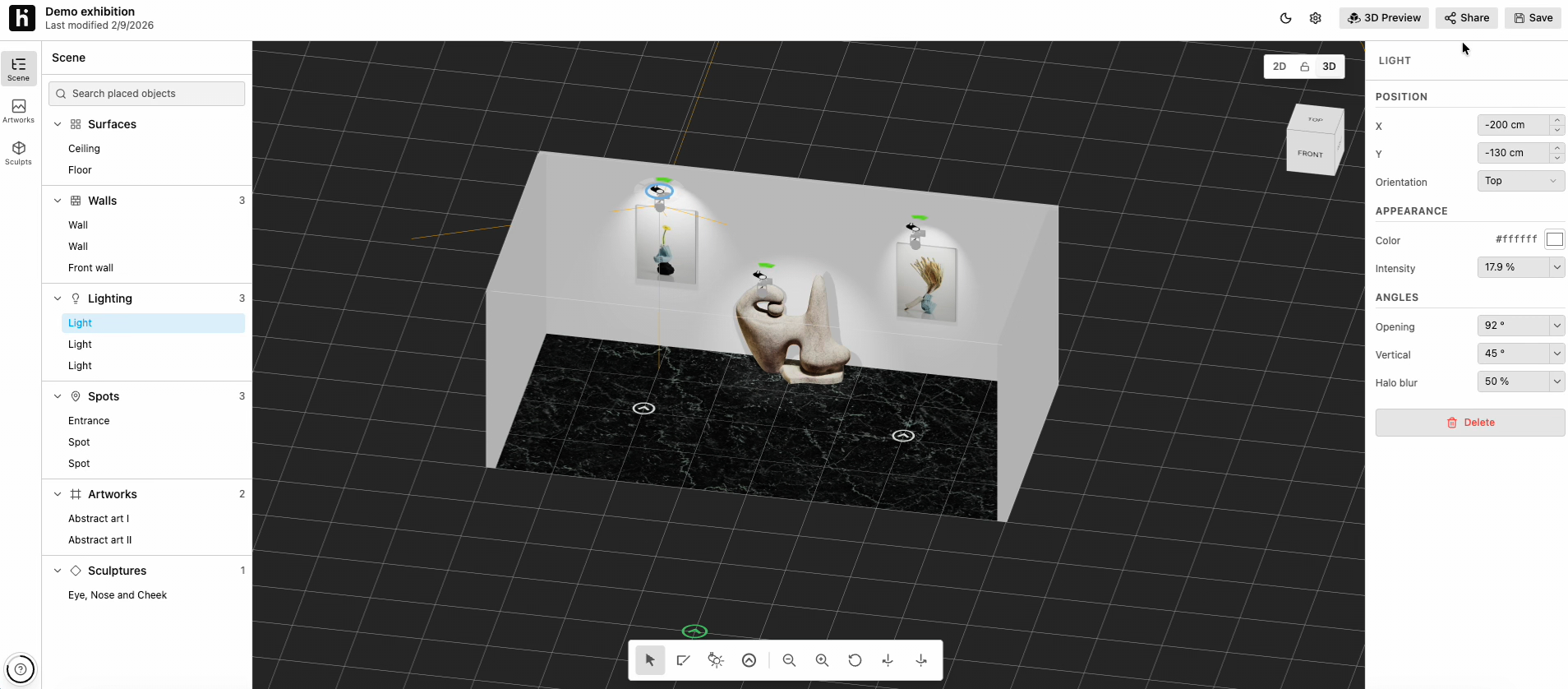
Draw the room, choose the floor and the lighting, and hang the artworks at their real size with the frame you like: wood, metal or flat. Sculptures go on the floor, as a 3D model or an image.
Visitors walk through the exhibition with the keyboard and look around with the mouse, in 360°. Markers on the floor guide the visit, and clicking an artwork opens its details: the artist, with a link to the artist’s website, title, year, dimensions and price, if listed.
Every exhibition has its own link and QR code. It opens in the browser, with no account and nothing to install: just send the link by email or put it on your website. You can also take screenshots from the walkthrough for social media or your press kit.
Send the link before a visit, or to someone who can’t make it to the gallery: they walk through the exhibition and click each artwork to see its details and price.
To a curator, an institution or another gallery: the proposal is shown installed in the room, with the artworks to scale, not as a deck of loose images.
Move the artworks around the wall until the order feels right, with the distances in view, and export the install PDF for your team.
When the show comes down, the virtual exhibition stays at its link: a record of what you have shown, for your website and social media.
With the same tool you plan your booth for a fair: you build it with the real measurements, present it in the application exactly as it will be and arrive at the install with everything decided.
No. You draw the walls on a floor plan, drag the artworks onto the wall and Exhibify VR builds the 3D view. When you start, a step-by-step guide shows you the basics.
Yes. With the link or the QR code, the exhibition opens in the browser without signing up.
The artwork's details: the artist, with a link to the artist's website, the title, year, dimensions and price, if listed. Artworks marked as sold show it on their details and don't display a price.
Always, while the license is active. With the one-time license, the published exhibition stays online at the same link after the license period ends.
Yes, with a 3D model (FBX, OBJ or GLB) or with an image.
With the one-time license you plan one exhibition with up to 100 artworks: $89 or €79 for 15 days of use, plus 1 extra day. You pay once, in US dollars or euros, and it doesn’t renew. Doing several exhibitions a year? Take a look at the yearly plans.