Prepare your art fair application
With the Exhibify VR booth planner, your proposal reaches the fair exactly as it will be: walls to scale and every artwork in place. A clear, realistic proposal has a better chance of being accepted.
Create virtual spaces in seconds and apply to art fairs like a pro. Save time and money on installing your fairs and exhibitions.
With the Exhibify VR booth planner, your proposal reaches the fair exactly as it will be: walls to scale and every artwork in place. A clear, realistic proposal has a better chance of being accepted.
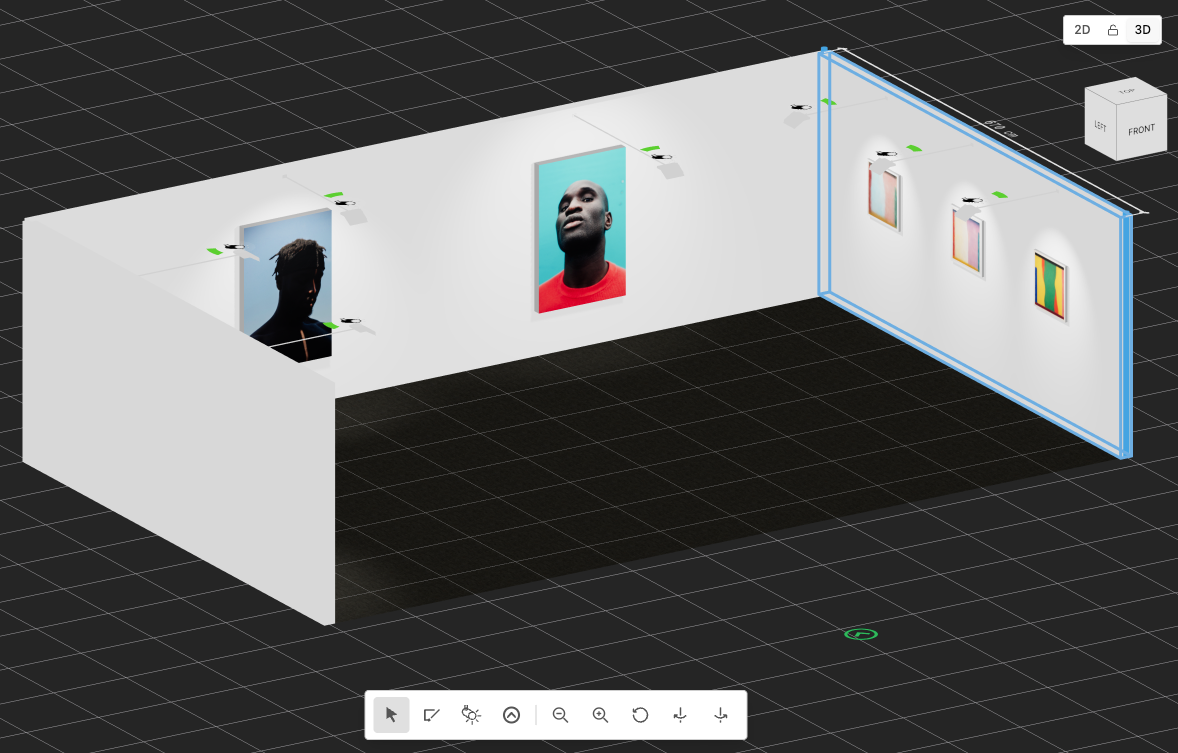
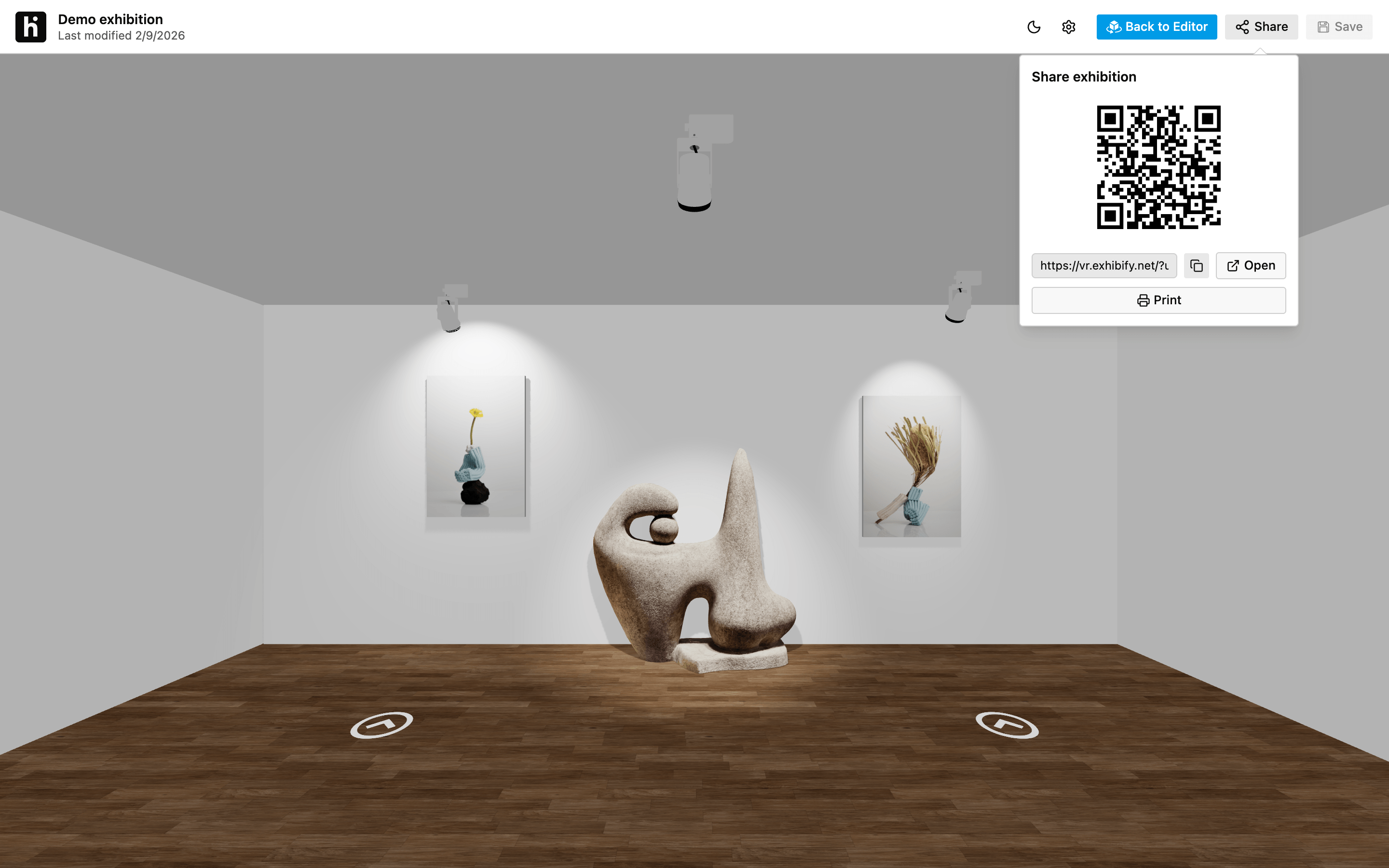
Draw the room, hang your artworks at true scale and choose the lighting. Then share it with a link or a QR code: collectors, curators and clients walk through it in 3D in their browser, with no account and nothing to install.
The Exhibify VR booth and exhibition planner runs in your browser. Here’s how you plan a booth or an exhibition, from floor plan to install.
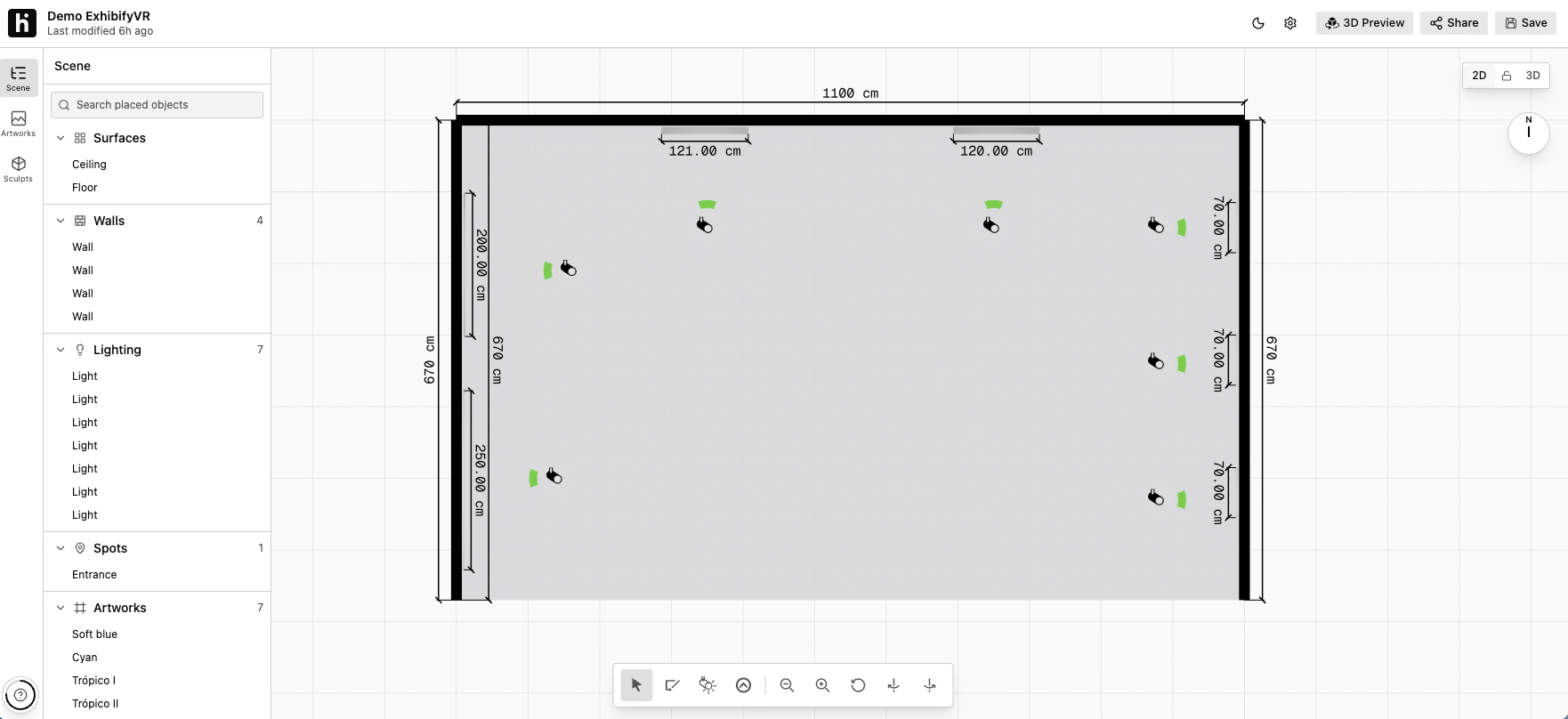
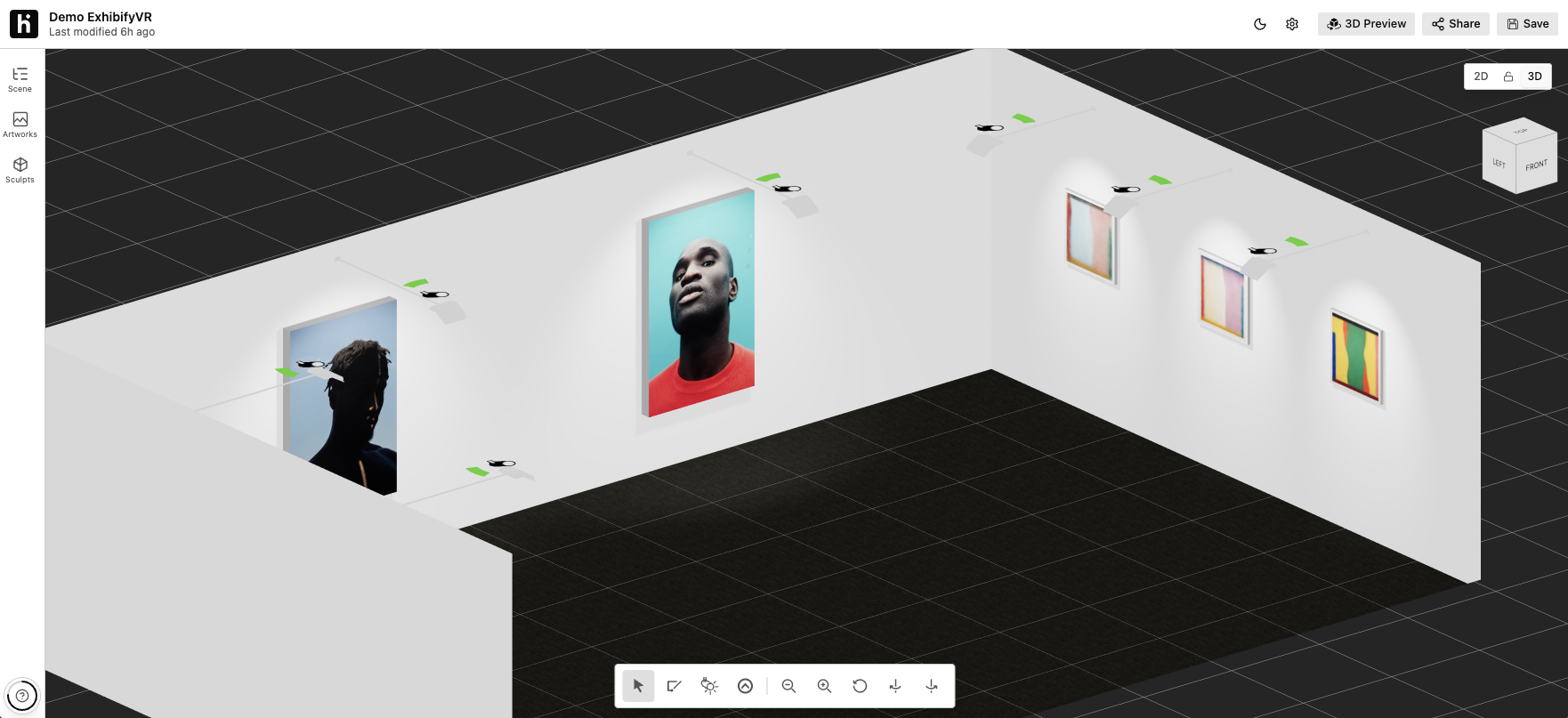
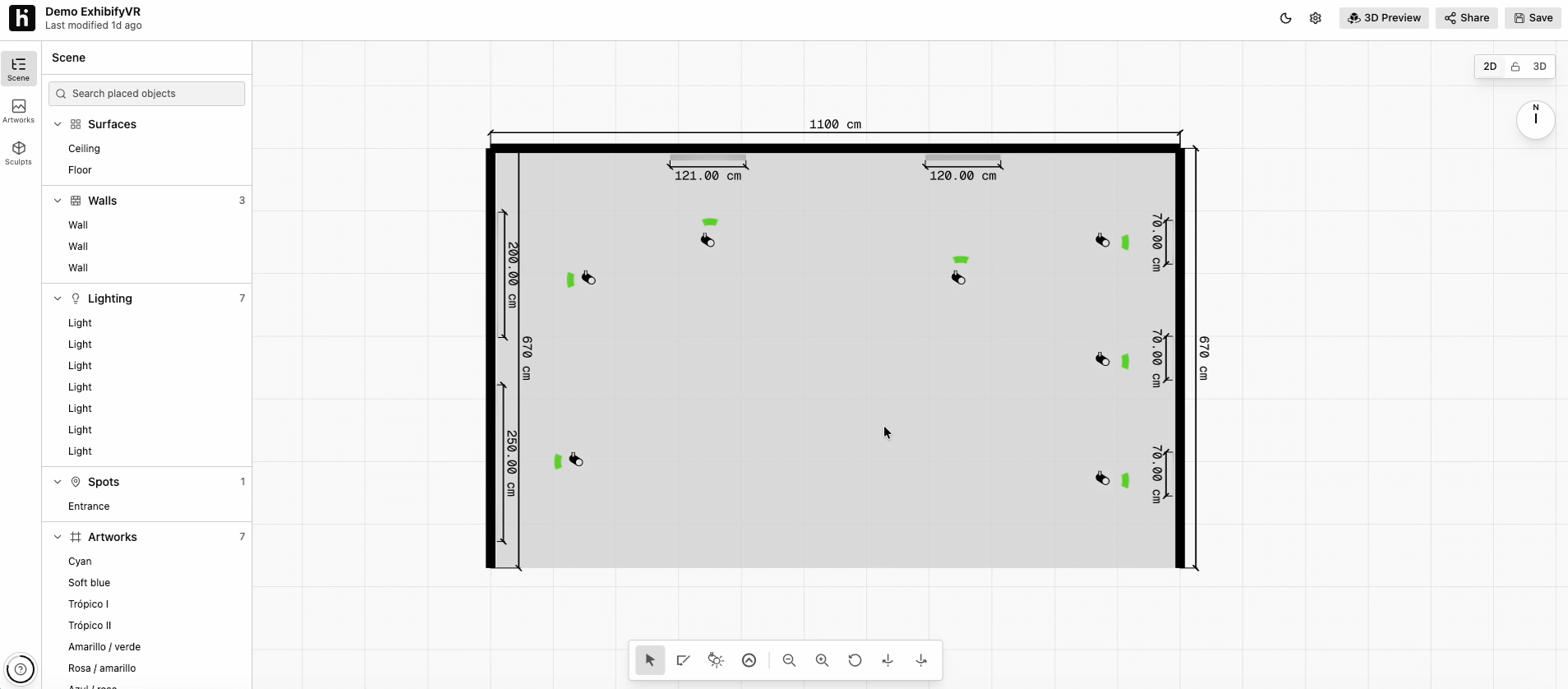
Draw the walls on the floor plan at their real length, height and thickness, mark the entrance and place the lights. Then fine-tune everything in 2D or 3D: there are two editors and you switch between them with one click.
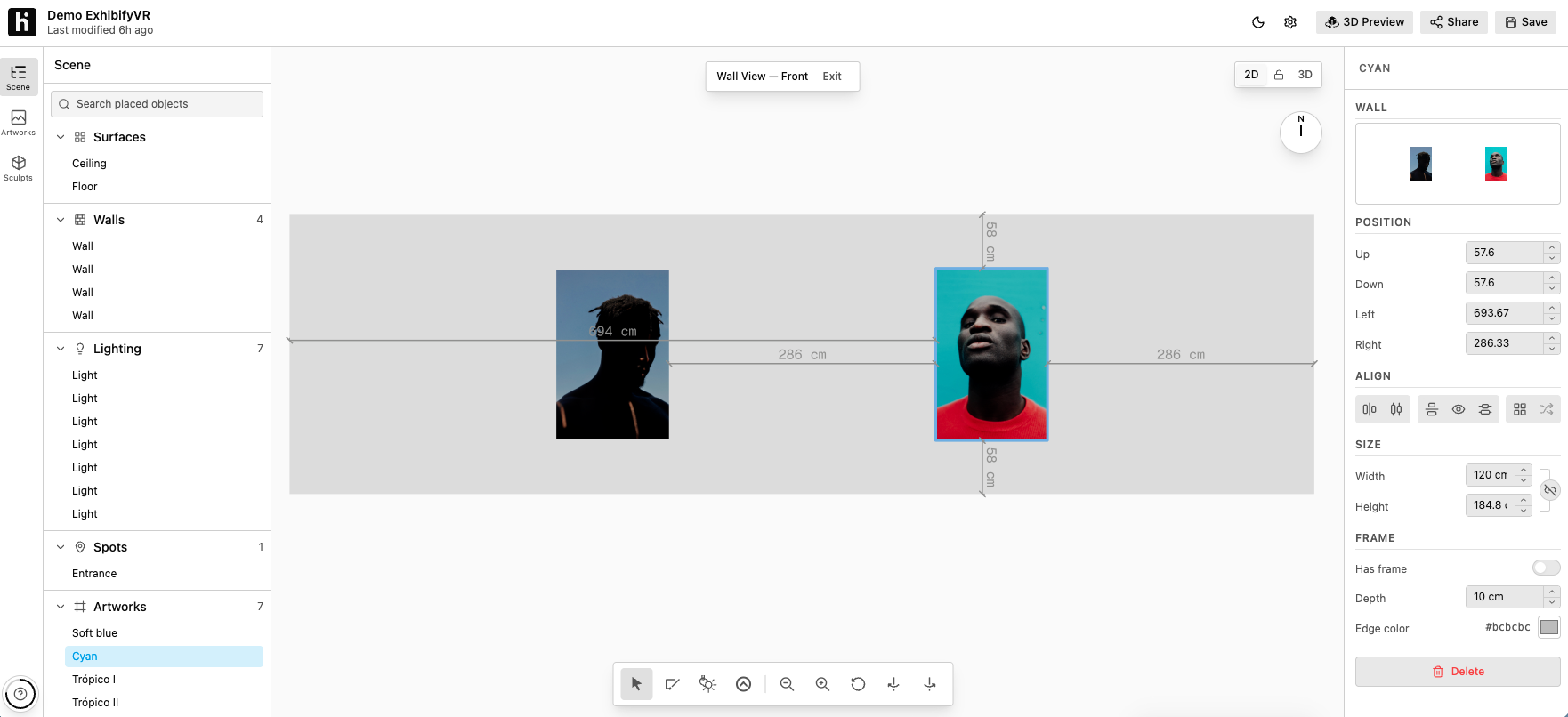
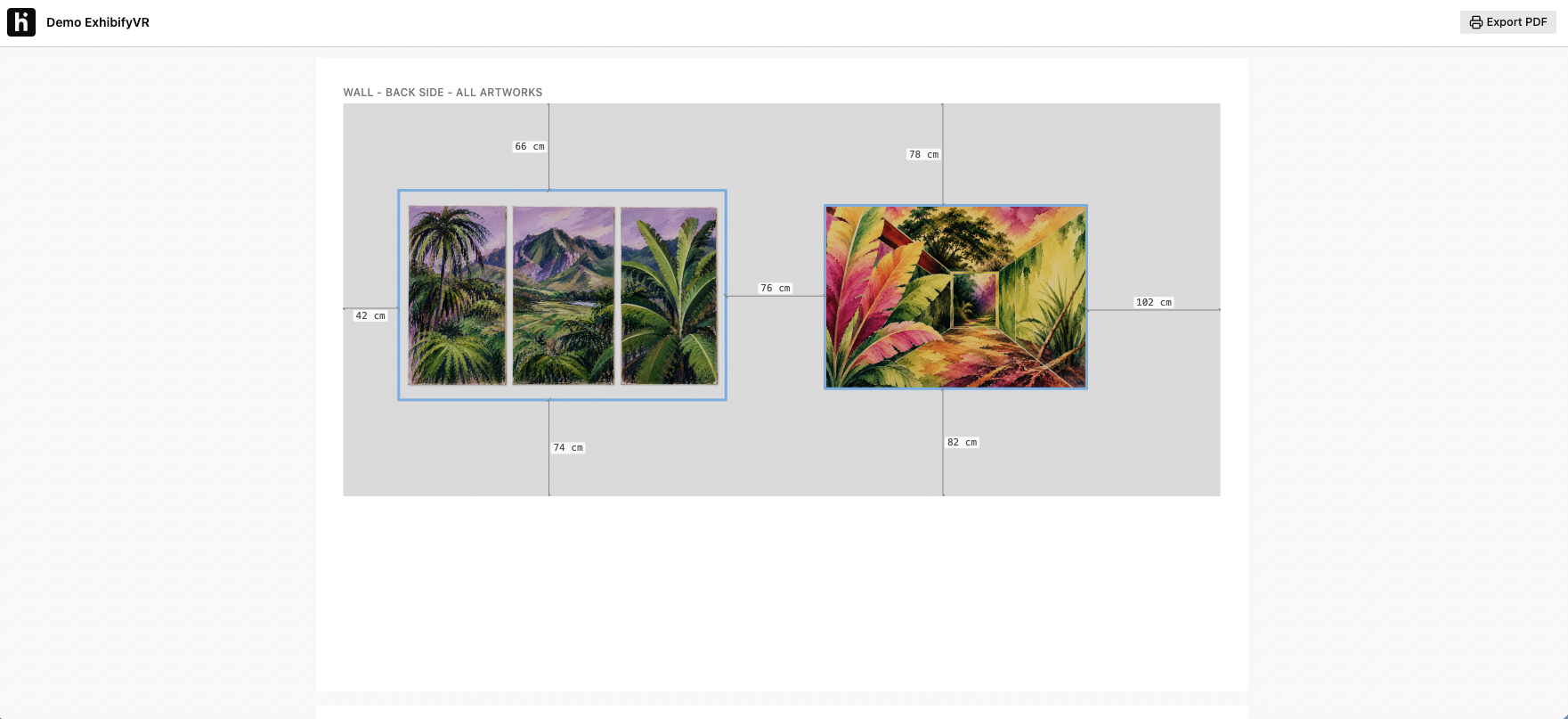
Upload an image of each artwork with its dimensions, in centimeters or inches, and hang it on the wall. Wall view shows the distances between artworks and to the edges, so trying another layout is just a mouse move away.
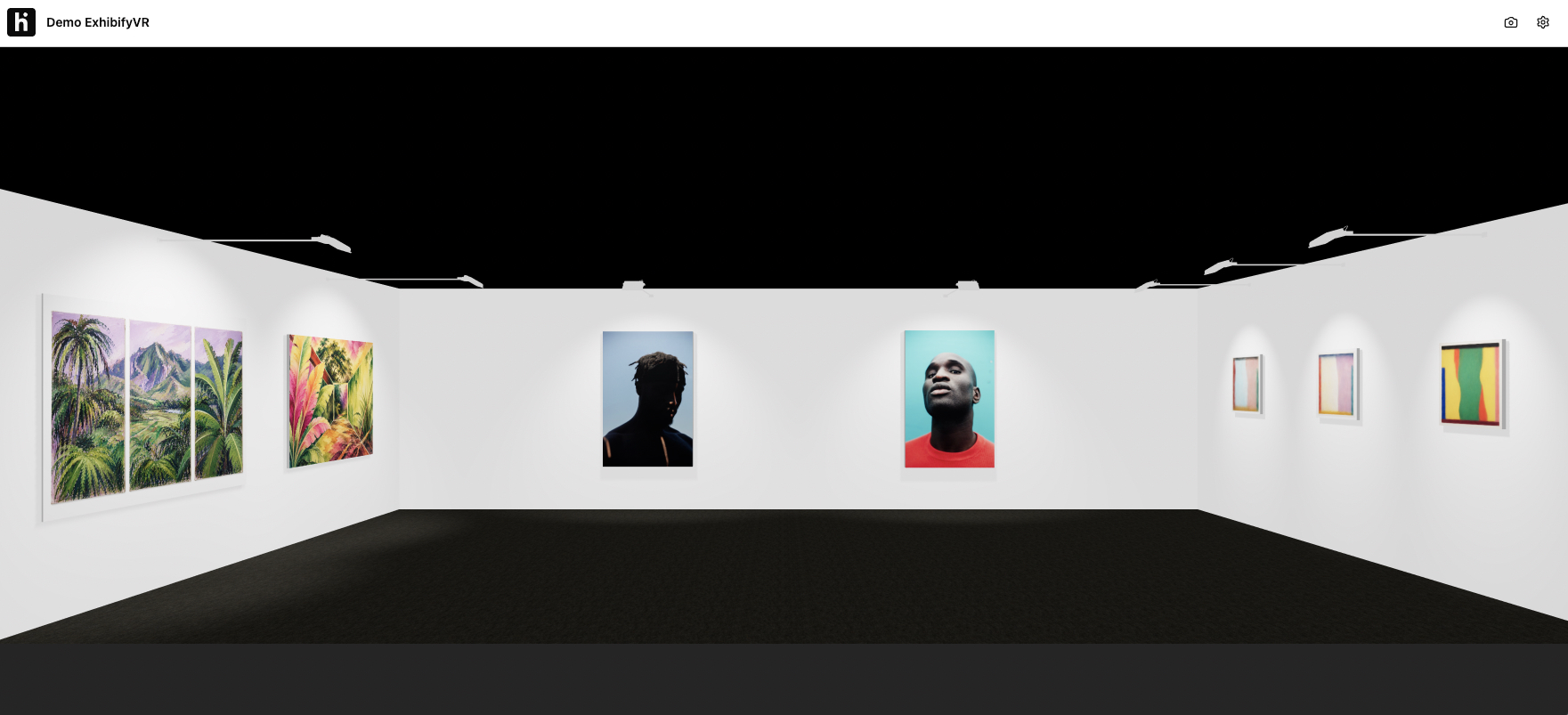
Walk the booth in first person with your keyboard and mouse, just like a visitor would: the lighting, the distances and how each piece reads from the aisle. Take screenshots for your application right from the walkthrough.
A PDF with the overall floor plan, each side of every wall with its artworks and the gaps between them, and one sheet per artwork with its exact position. Everything the install crew needs to hang it right the first time.
For a specific fair or exhibition. One project, one payment: $89 or €79, in US dollars or euros.
For several fairs and exhibitions a year. Basic, Premium and Unlimited, depending on the exhibitions, artworks and users you need.
Add Exhibify VR to your application: every gallery presents its booth the same way, in 3D, to scale and with the artworks hung. Your committee compares projects, not formats.
A planner for art fair booths and art exhibitions. You design the space in 2D or 3D, hang the artworks to scale, walk through it in 3D and export the hanging plan to PDF. All in your browser.
Yes, that's what it's used for most. You can take screenshots of the booth from the 3D walkthrough, exactly as it will look, and add them to your application. The PDF, with the floor plan and the measured walls, helps explain the project too.
No. Exhibify VR runs in your computer's web browser (current Chrome, Edge, Firefox and Safari), and you walk through the 3D view with your keyboard and mouse.
One exhibition with up to 100 artworks, in spaces up to 200 m² (about 2,150 sq ft) and for 1 user, for 15 days, plus 1 extra day to wrap up. You pay once, by card, and it doesn't renew.
Then a yearly plan works out better: Basic, Premium or Unlimited, with several exhibitions a year. Write to us and we'll put together a proposal.
Yes. Walls and artworks are drawn at their real size, in centimeters or inches, and you see the distances as you place each piece. The PDF uses those same measurements.
Yes. Every exhibition has a link and a QR code. Anyone who opens them can walk through it in 3D in their browser, without creating an account or installing anything.
Yes, with a 3D model (FBX, OBJ or GLB) or with an image.
After the 15 days and the extra day, the license is deactivated and you can no longer edit the exhibition. The published exhibition stays online at the same link. If you need more time, write to us before it ends.
The editor is in English. The website, checkout and emails are available in English, Spanish and Brazilian Portuguese.
Pick the license that fits, plan your booth and apply to the fair with a proposal they can see.