Skip to content

Art fair booth planner

From the floor plan the fair sends you to the last piece on the wall: plan your booth in Exhibify VR, present it in your application exactly as it will be, and arrive at the install with every measurement decided.

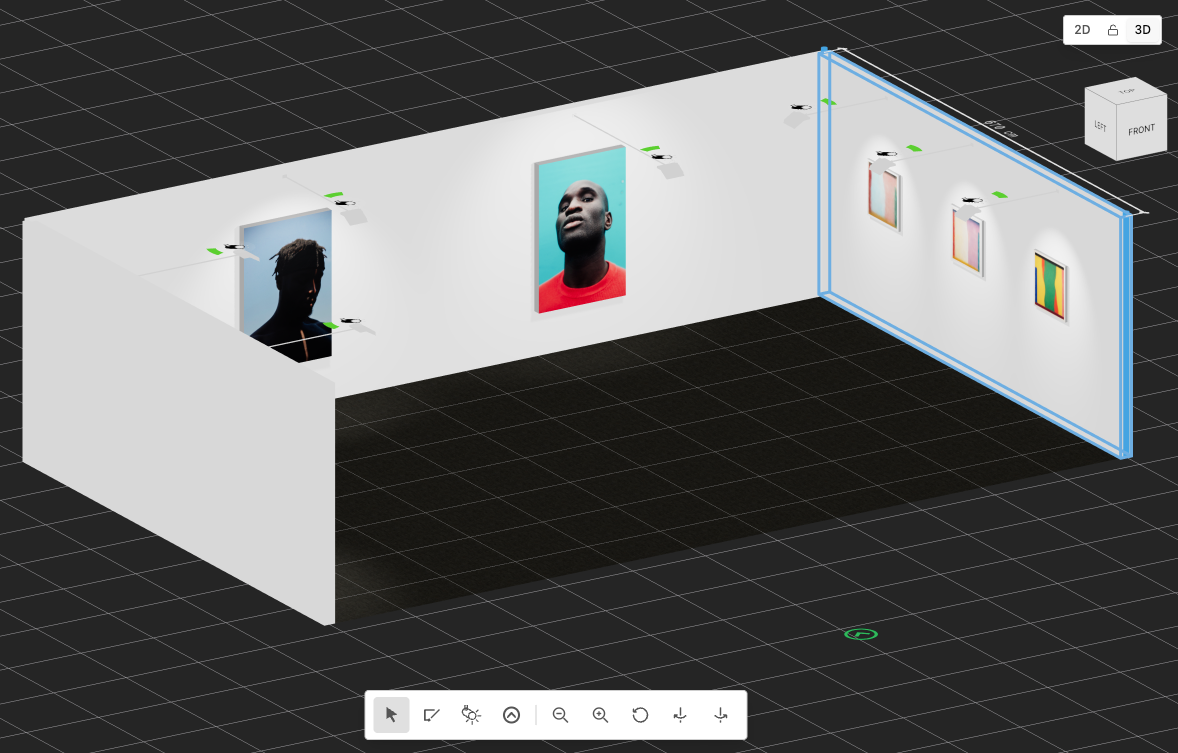
The 3D editor with the booth and a wall selected

Apply to art fairs with a proposal that convinces

At an art fair, the committee chooses by the project, and the booth is decided weeks ahead. With Exhibify VR, you test it beforehand at real size: which artworks go in, on which wall and how far apart. Then you show it in 3D to whoever needs to see it: the selection committee, the artists or your team.
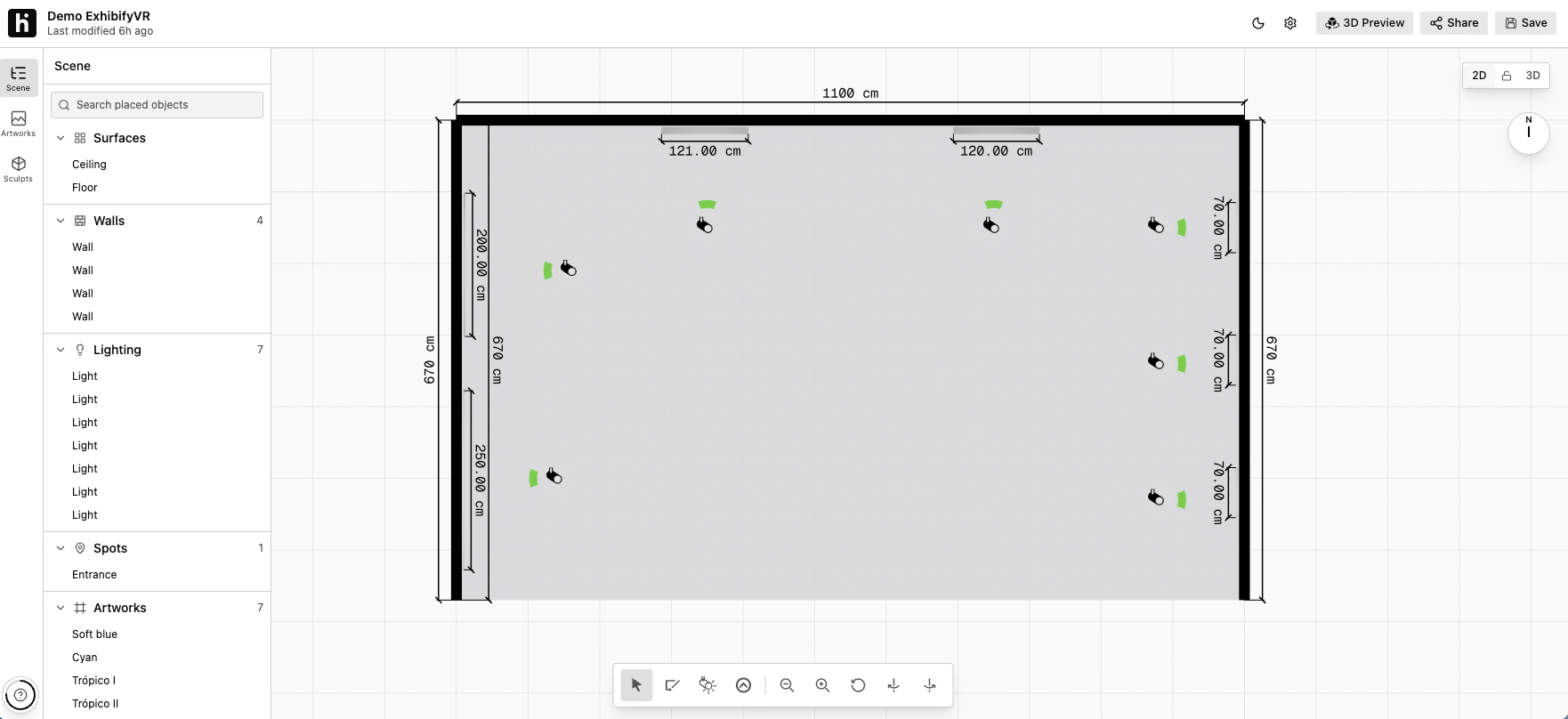
The 2D editor with a booth floor plan, its measurements and the lights

How to plan a booth with Exhibify VR

  1. Copy the floor plan the fair gives you: the walls with their length, height and thickness, the partitions and the entrance.
  2. Place the lights and adjust each one’s color, intensity and beam angle.
  3. Upload your artworks at their real size and hang them on the walls. Sculptures go on the floor, as a 3D model or an image.
  4. Try out layouts in wall view, with the distances between artworks on screen, until you find the right one.
  5. Walk through the booth in 3D in first person and take screenshots for your application.
  6. Export the PDF with the floor plan, the walls and one sheet per artwork for the install team.

For the application and for the install

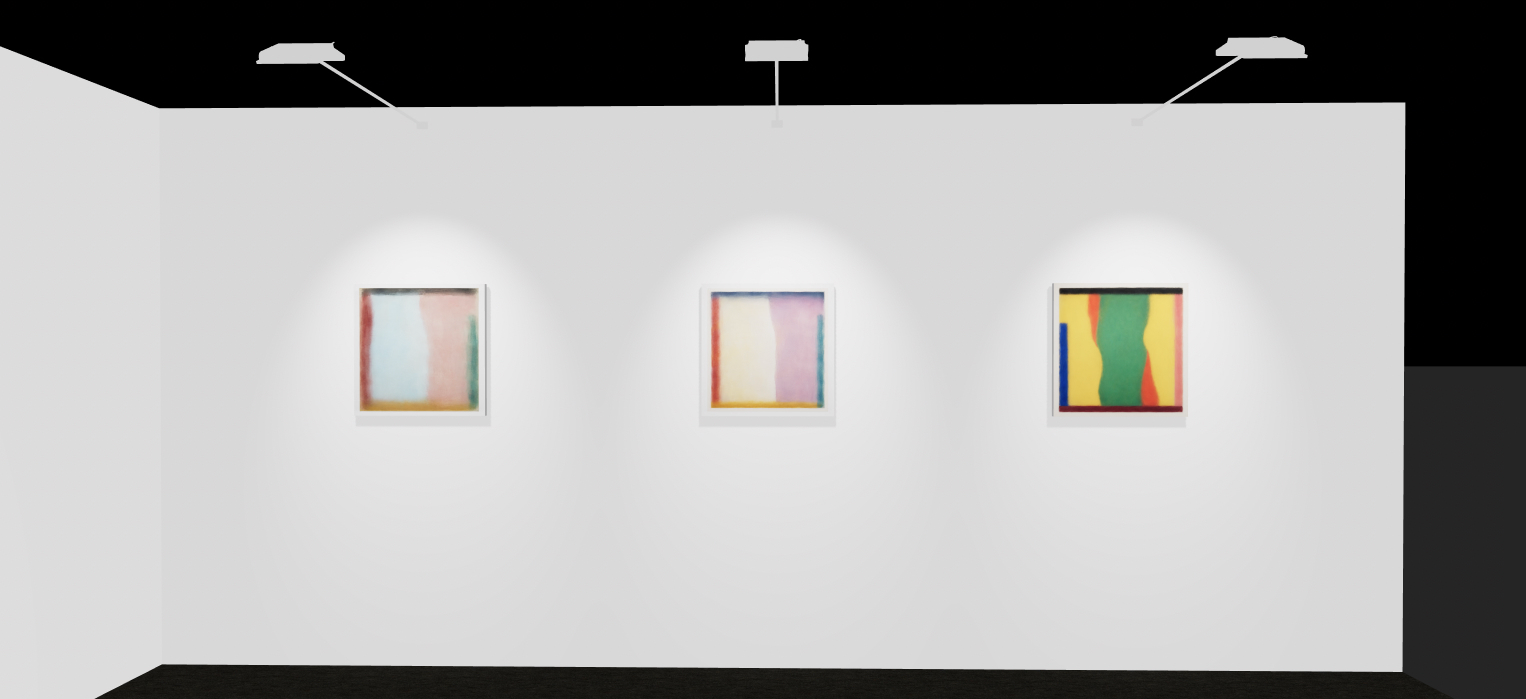
A booth wall in the 3D walkthrough, with three lit artworks

For the application

Screenshots from the 3D walkthrough show the booth exactly as it will be, with the lighting and every artwork in place. And if the fair accepts it, the exhibition link lets the committee walk through it in 3D in a browser.

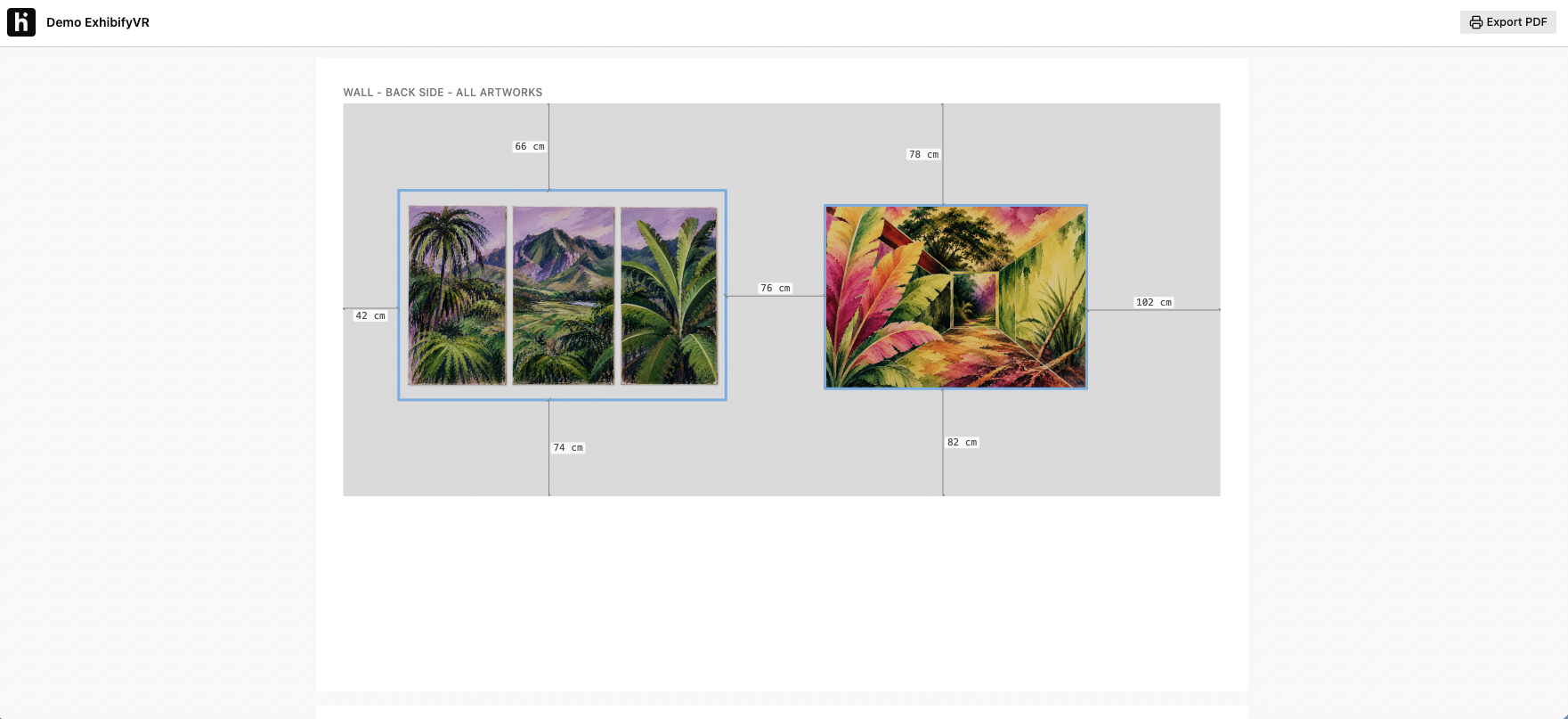
A wall sheet for the installation PDF, with the distances of each artwork

For the install

The PDF includes the overall floor plan, each side of every wall with its artworks and the gaps between them, and one sheet per artwork with its exact position on the wall. Your install team knows what goes where before opening the first crate.

For your exhibitions too

With the same tool you build a virtual exhibition in 3D and share it with a link: collectors, curators and clients walk through it in their browser, with no account and nothing to install.

Frequently asked questions

Can I recreate the exact booth the fair assigns?

Yes. You draw the walls with the length, height and thickness from the fair's floor plan, including partitions and the entrance, in centimeters or inches.

Can I use the 3D views in my application?

Yes. You can take screenshots of the booth from the 3D walkthrough, ready to add to your application.

What does the install team get?

A PDF with the overall floor plan of the booth, each side of every wall with its artworks and the gaps between them, and one sheet per artwork with its distance to the neighboring pieces and to the edges of the wall.

How many artworks fit?

With the one-time license, up to 100 artworks in one exhibition. For more, there are the yearly plans.

What if I do several fairs a year?

That's what the yearly plans (Basic, Premium and Unlimited) are for, with several exhibitions a year. Write to us and we'll help you pick the right one.

Do I need 3D or design experience?

No. You draw the walls on a floor plan, drag the artworks onto the wall and Exhibify VR builds the 3D view. When you start, a step-by-step guide shows you the basics.

One license per fair

The one-time license is made for a single fair: $89 or €79 for 15 days of use, plus 1 extra day, with one exhibition and up to 100 artworks. You pay once, in US dollars or euros, and it doesn’t renew. Doing lots of fairs a year? Take a look at the yearly plans.